MergeChain
Chrome extension for GitHub pull requests
Stop merging pull requests out of order.
MergeChain adds merge dependencies to GitHub PRs. Say a PR is blocked by another, and its merge button stays disabled until the prerequisite lands. Works great with humans and AI coding agents (Claude, Cursor, Copilot, Grok…). Get it from the Chrome Web Store or download the ZIP directly.
Chrome Web Store · Download ZIP · GitHub + AI Skill
What it does
Order enforced where it matters: the merge button.
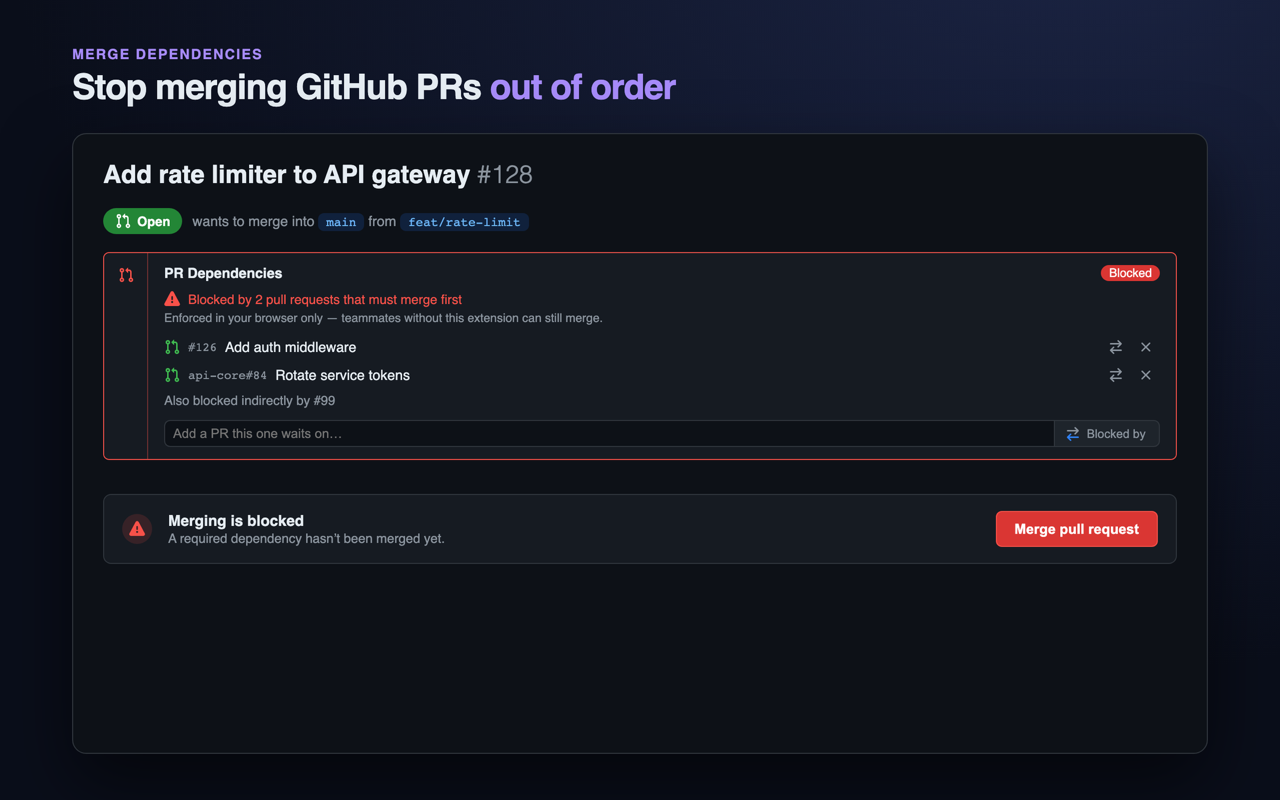
Blocks the merge
While any dependency (direct or indirect) is unmerged, the merge button turns red and reads “Waiting on deps.” The tooltip names the blocker.
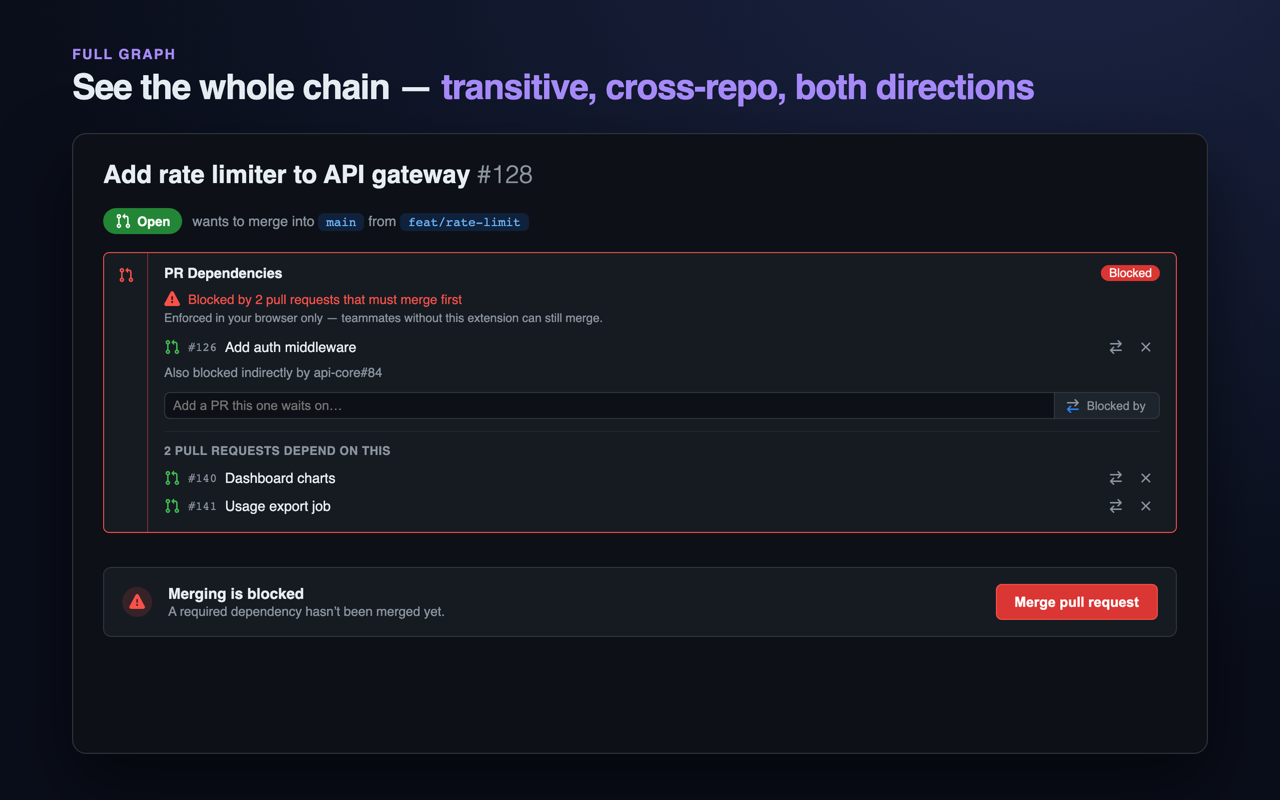
Cross-repo & transitive
Chain A → B → C, fan in from many PRs, share a common prerequisite. Dependencies can point across repositories, and cycles are detected.
No backend
Dependencies live inside the PR body, readable with or without the extension. Your token stays in your browser and talks only to api.github.com.
How it works
Three steps. No separate accounts, no servers.
Declare the dependency
On any PR, add another as Blocked by, in the same repo (#128) or another (acme/db#128).
It’s saved in the PR
Stored as a hidden note in the PR description, so the relationship travels with the PR and survives without the extension.
Merge waits its turn
The button stays blocked until every prerequisite is merged. See the chain as a list or a graph.
Install
Get it running in a minute.
- Add to Chrome (recommended — direct from the Chrome Web Store)
- Download ZIP from GitHub Releases → extract → Load unpacked (Developer mode). Same build attached to every release. Great for sideloading or air-gapped use.
- Or build from source (see README on GitHub).
- Open the extension’s Options and sign in with GitHub (device flow or fine-grained PAT with PR read/write).
For AI Agents & Coding Assistants
Easy integration for Claude, Cursor, Copilot, Grok & more
Let your agent automatically declare merge dependencies when creating stacked PRs. The skill writes the exact same marker as the browser extension so humans see it too. Works with Claude, Cursor, Copilot, Grok and more. Copy the prompt — it will tell the agent that the skill is not present yet and that you first need to install the extension + skill files.
Click a button. Paste into your agent. The skill files are not present yet — the prompt tells the agent that the user first needs to install the Chrome extension + the skill. The agent will guide the setup.
mc-deps.mjs auto after creating stacked PRs.
Full adapters + SKILL.md live in skills/mergechain-deps.
Full details + adapters for Claude, Cursor, Copilot, Grok and more: skills/mergechain-deps on GitHub
Works great with: Claude Code • Cursor • GitHub Copilot • Grok • Windsurf • Kiro and any agent that can run shell commands.
auto) — click to enlarge